WhatsApp business automation: turn messages into booked calls and quoted jobs
How WhatsApp business automation works: an assistant that answers, qualifies, books or quotes, and hands off to a person. A guide to the services involved.

Hamza El Haissouf
7 min readUpdated EN
Key takeaways
- Start with one conversation type: appointment requests, quote requests or order status. Not everything at once.
- The assistant answers from a knowledge base you approve. It does not improvise prices, diagnoses or promises.
- Every qualified request lands in your calendar, CRM or sheet with the details your team needs to act.
- A person takes over on clear triggers: complaints, unusual requests, low confidence or an explicit ask.
- Track each step as an event so you can see where conversations stall and fix that step first.
Short answer
WhatsApp AI automation is an assistant connected to your WhatsApp Business number through the official API. It replies instantly, asks the qualifying questions your best employee would ask, then books, quotes or routes the request. Your team only handles the conversations that genuinely need a person, and they receive the full context when they do.
WhatsApp business automation is an assistant on your official WhatsApp Business number that replies to repeat questions, qualifies the request, then books, quotes or routes it, so your team only handles conversations that need a person. WhatsApp automation services like this run on the WhatsApp Business Platform, a knowledge base you approve, and connections to your calendar, CRM or sheet — not a keyword bot that asks customers to type 1 or BOOK. This guide covers what to automate first, how the assistant is built, where it must stop, and how to measure whether it works.
If the job is appointment requests, I also set up a WhatsApp booking assistant for clinics, salons and service businesses. For a WhatsApp AI chatbot connected to your CRM, with lead qualification and a handoff to a person, see WhatsApp AI chatbots for Moroccan businesses.
What is a WhatsApp AI assistant, exactly?
It is a program connected to your WhatsApp Business number through the WhatsApp Business Platform, the official API from Meta. When a customer writes, the message goes to your assistant instead of a phone. The assistant reads it, decides what the customer wants, and replies.
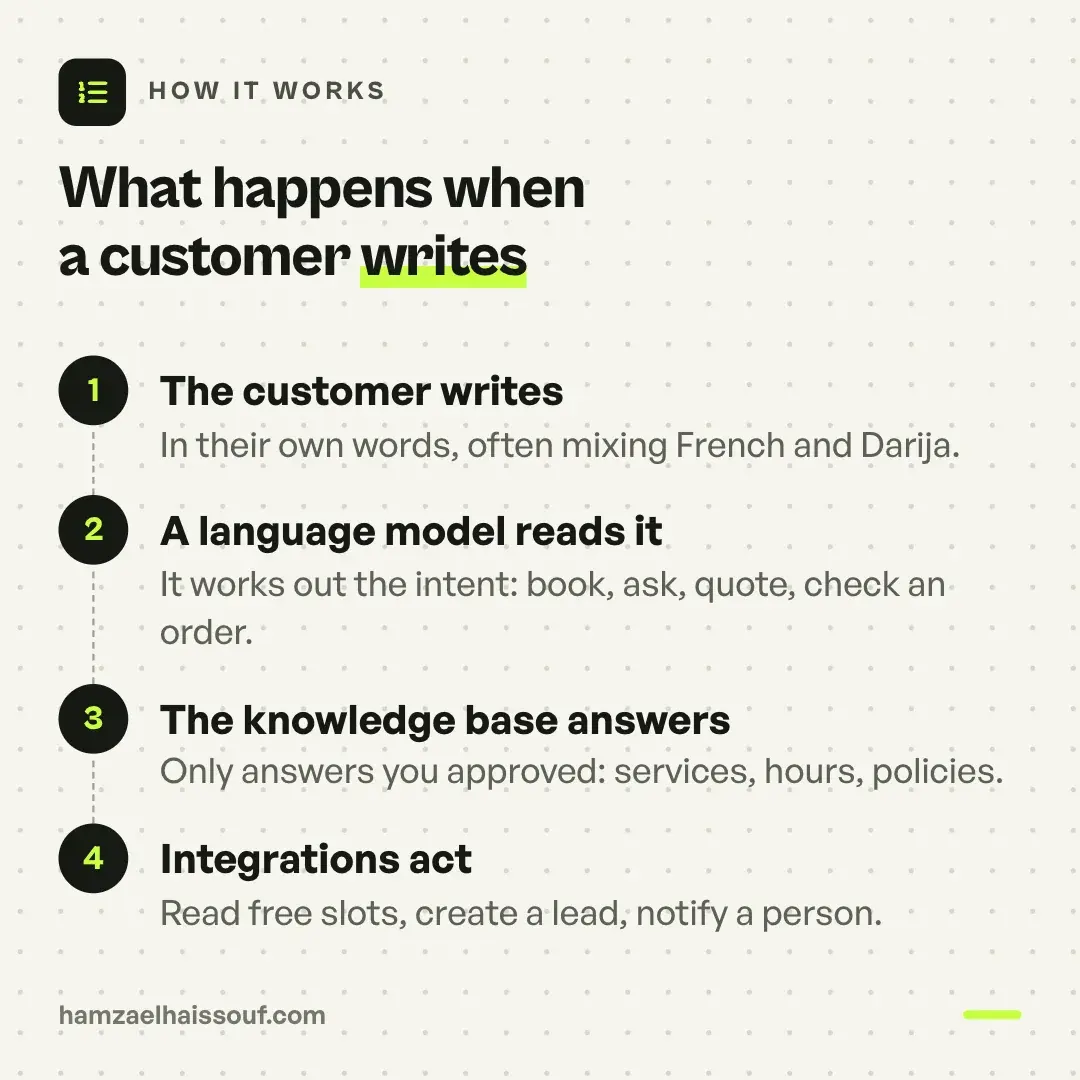
Three parts do the work:
- A language model reads free text in any common language and works out the intent: book, ask a question, request a quote, check an order, complain.
- A knowledge base holds the answers you approve: services, opening hours, areas covered, policies, preparation instructions, required documents. The assistant answers from it and nothing else.
- Integrations let it act: read free slots in a calendar, create a lead in a CRM, look up a shipment, notify a person on your team.
The difference with an old keyword bot is that the customer does not need to type "1" or "BOOK". They write the way they talk, often mixing French and Darija, and the assistant still understands what they need.
Which conversations should you automate first?
Pick the conversation your team answers the same way every day, and only that one. A narrow first flow ships faster, is easier to test, and gives you a clear before-and-after picture.
Good first candidates look like this:
- Clinics: appointment requests, rescheduling, preparation instructions before a visit, reminders the day before.
- Logistics and moving companies: quote requests (origin, destination, volume, date), shipment status, delivery confirmation.
- Local services: availability checks, area coverage, booking a visit.
To choose, open your WhatsApp history and sort the last few weeks of conversations into types. The type that appears most often and follows the most predictable path is your first flow. Leave complaints, negotiations and unusual requests to people.
Assistant or shared inbox: which one do you need?
Many teams start with a shared inbox where several people answer from one number. That is a good step, but it does not remove the repeat work. Here is how the two compare:
| Question | Shared inbox only | WhatsApp AI assistant |
|---|---|---|
| Reply time | Depends on who is free | Immediate, at any hour |
| Qualification | Varies by employee | Same questions every time |
| Booking | Manual, back and forth | Proposes slots and confirms |
| Handoff | Someone notices the message | Rule-based, with full context |
| Reporting | Hard to reconstruct | One event per step |
| Best for | Low volume, complex requests | Repeated, predictable requests |
In practice you need both. The assistant handles the predictable part; the shared inbox is where your team picks up the conversations the assistant hands over.
How does the assistant qualify a request?
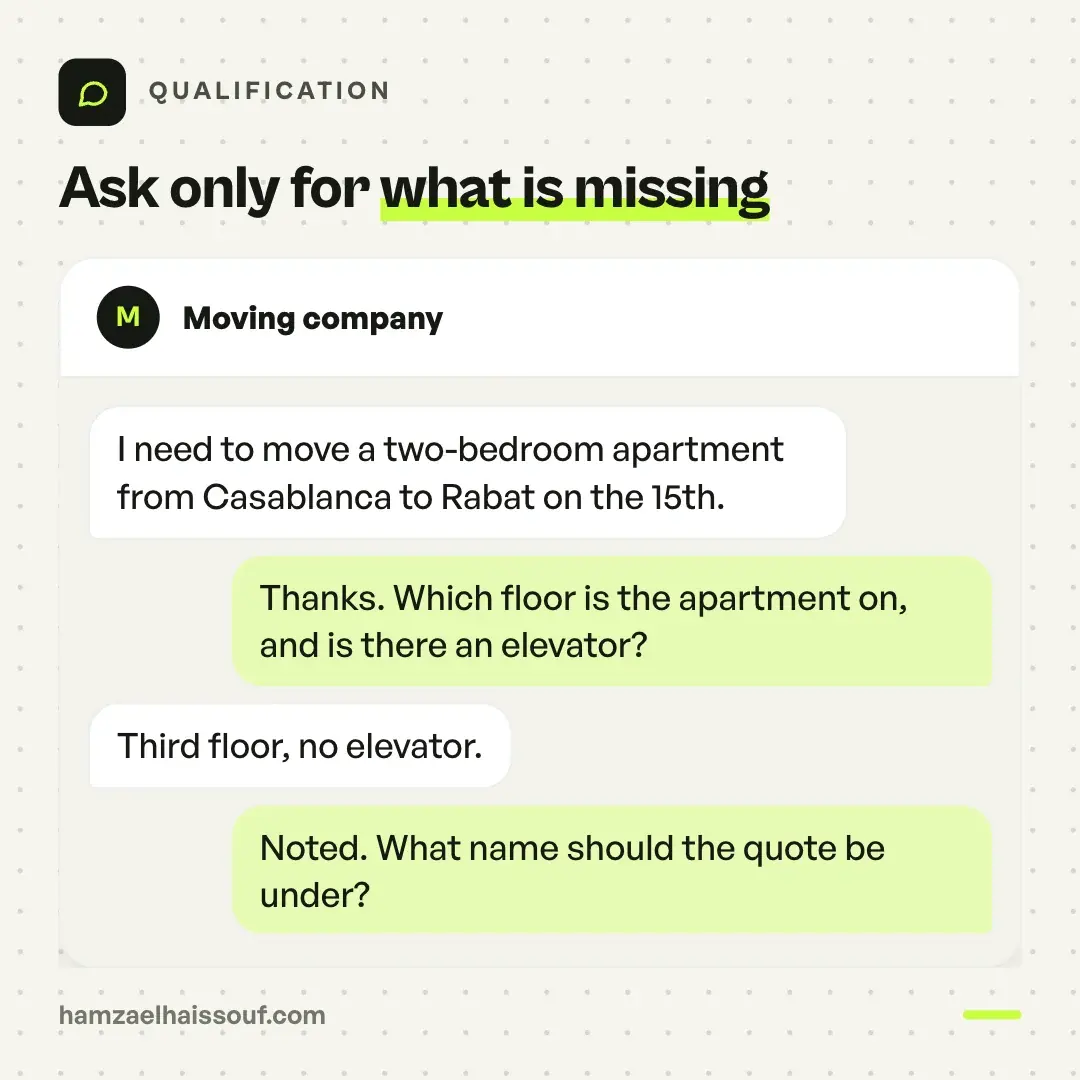
Qualification means collecting what your team needs to act, in the right order, without making the customer fill in a form. For a moving quote that might be: origin, destination, approximate volume, floor and elevator, preferred date, and a contact name. For a clinic: the type of consultation, new or returning patient, preferred days, and a phone number.
Write these questions down before anything is built. For each one, decide:
- Is it required, or nice to have?
- What counts as a valid answer? A date in the past is not; "next Tuesday" is, once converted.
- What should happen if the customer skips it?
The assistant then asks only for what is missing. If the first message already says "I need to move a two-bedroom apartment from Casablanca to Rabat on the 15th", it should not ask for the destination again. That single detail is what makes an assistant feel helpful instead of robotic.
How is a WhatsApp assistant built, step by step?
- Map the flow. List the questions, the answers, the actions, and the exact moments a person must step in. A one-page diagram is enough.
- Write the knowledge base. Services, hours, areas, policies, preparation steps, in your own words. Short entries work better than long documents.
- Set up the WhatsApp Business Platform. Verify the business with Meta, register the number, and create the message templates you need for messages sent outside the 24-hour customer service window, such as reminders.
- Connect the tools. Calendar or booking tool, CRM or Google Sheet, and a notification channel for handoffs.
- Add event tracking. Log each step (conversation started, qualified, slot proposed, booked, handed off) so you can measure the funnel.
- Test with real conversations. Replay past messages, including the messy ones, and check every reply before going live.
- Launch on a part of the traffic, then review weekly. Read transcripts, fix wrong answers, add missing knowledge, then add the next flow.
Whether this runs on a workflow tool such as n8n or on custom code depends on volume and complexity. The comparison is covered in n8n vs custom automation.
When should a person take over?
Handoff rules protect your reputation. The assistant should pass the conversation to a person when:
- The customer is unhappy or describes a problem with a past service.
- The request is unusual: a custom job, a large account, a partnership.
- The assistant is not confident about the intent or the answer.
- The topic is sensitive: medical symptoms, legal or financial questions.
- The customer asks for a person, in any wording.
When it hands over, the assistant tells the customer what happens next ("A colleague will reply here shortly"), and the person receives a summary plus the collected details. The customer never has to repeat themselves. That last point matters more than any clever reply.
What should the assistant never do?
Set these limits explicitly in its instructions and test them:
- Never invent a price, a delay, an availability or a policy that is not in the knowledge base.
- Never give medical, legal or financial advice. For clinics, it books and informs; the doctor diagnoses.
- Never promise an outcome ("your parcel will arrive tomorrow") unless a connected system confirms it.
- Never send marketing messages to people who did not agree to receive them. WhatsApp's rules on templates and opt-in apply.
- Never hide that it is an assistant.
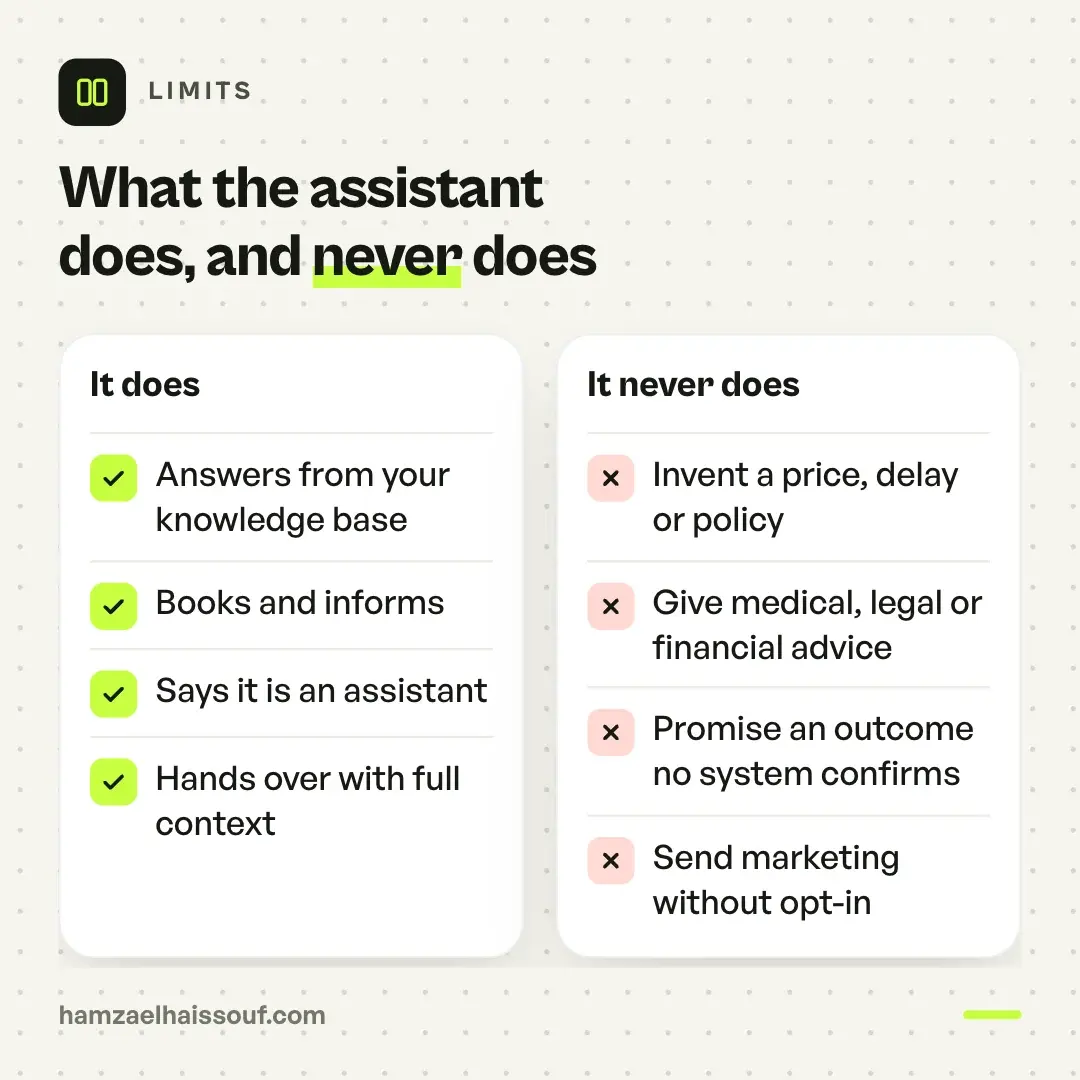
A short list of forbidden behaviours, tested before launch with deliberately tricky messages, prevents most embarrassing conversations.
How do you measure whether it works?
Decide the measures before launch, otherwise every opinion counts the same. Useful ones:
- Response time to the first message, by hour of day.
- Qualification rate: the share of conversations where all required details were collected.
- Booking or quote rate: qualified conversations that ended in a booked slot or a sent quote.
- Handoff rate and reasons: why people took over, grouped into a few categories.
- Drop-off step: the question after which customers stop replying.
Each of these comes from events logged at every step. The setup is explained in detail in AI chatbot analytics and event tracking. Review the numbers weekly together with a sample of transcripts; the numbers tell you where to look, the transcripts tell you why.
What does a good first month look like?
A realistic first month has three phases:
- Build and test. The flow, the knowledge base and one integration. Testing on past conversations catches most wrong answers.
- Soft launch. The assistant answers new conversations while a person watches the inbox and corrects mistakes immediately.
- Steady state. Weekly review, a handful of knowledge base updates, and a decision on the next flow.
Resist the urge to add flows before the first one is stable. Two reliable flows are worth more than five that each break in a different way.
Is WhatsApp automation right for your business?
It is a good fit when:
- Most of your customers already contact you on WhatsApp.
- A large part of the conversations follow a predictable path.
- Requests arrive outside working hours and wait.
- Your team spends time re-asking the same questions before they can act.
It is a weaker fit when every request is unique, when the volume is very low, or when the real bottleneck is somewhere else, for example a slow quoting process after the details are collected. In that case, fix the process first and automate the conversation afterwards.
If you write in French, the French guide WhatsApp Business et IA covers the same topic for the Moroccan market. To discuss your own flow, see the WhatsApp AI chatbot service or book a short call below.
From shipped work
See the case studies: Amana Logistics (WhatsApp intake), Doc Samad.
Frequently asked questions
Can I keep my existing WhatsApp number?
Yes. The number is registered on the WhatsApp Business Platform (the API). Once it moves to the API it no longer works in the regular WhatsApp Business phone app, so your team reads and answers conversations in a shared inbox instead.
Does the assistant reply in French, Arabic and English?
Yes. Language models handle French, English, Modern Standard Arabic and a good share of Darija. The assistant replies in the language the customer writes in, and you can fix the default language per flow.
What happens when the assistant does not know the answer?
It says so, collects the request details and hands the conversation to a person. It is instructed to answer only from your knowledge base, and the weekly review turns each unanswered question into a new entry.
Can it book directly in my calendar?
Yes, if your calendar or booking tool has an API (Google Calendar, Calendly, most clinic and field-service tools). The assistant proposes free slots, confirms one and sends the confirmation in the same conversation.
Will customers know they are talking to an assistant?
They should. Say it in the first message and offer a way to reach a person at any moment. Being transparent costs nothing and avoids frustration when a request needs a human.
How long does the first flow take to build?
A single, well-defined flow with a knowledge base and one integration is usually a matter of weeks, not months. Most of the time goes into writing the answers and testing with real past conversations, not into code.
Is my customer data safe?
Use the official WhatsApp Business Platform, keep conversation logs in a database you control, restrict who can read them, and do not send medical or financial details to tools that do not need them. Write down how long you keep conversations and delete them after that period.

Hamza El Haissouf
Full-stack developer for 6 years · Morocco
I build WhatsApp assistants and websites for private clinics and logistics companies. Remote, in English and French.
Related reading