RelioIllustrative mockup

Your business, at a glance.
What comes next, better organized.

Orders, customers and automations in one workspace. An assistant prepares the next actions; your team stays in control.
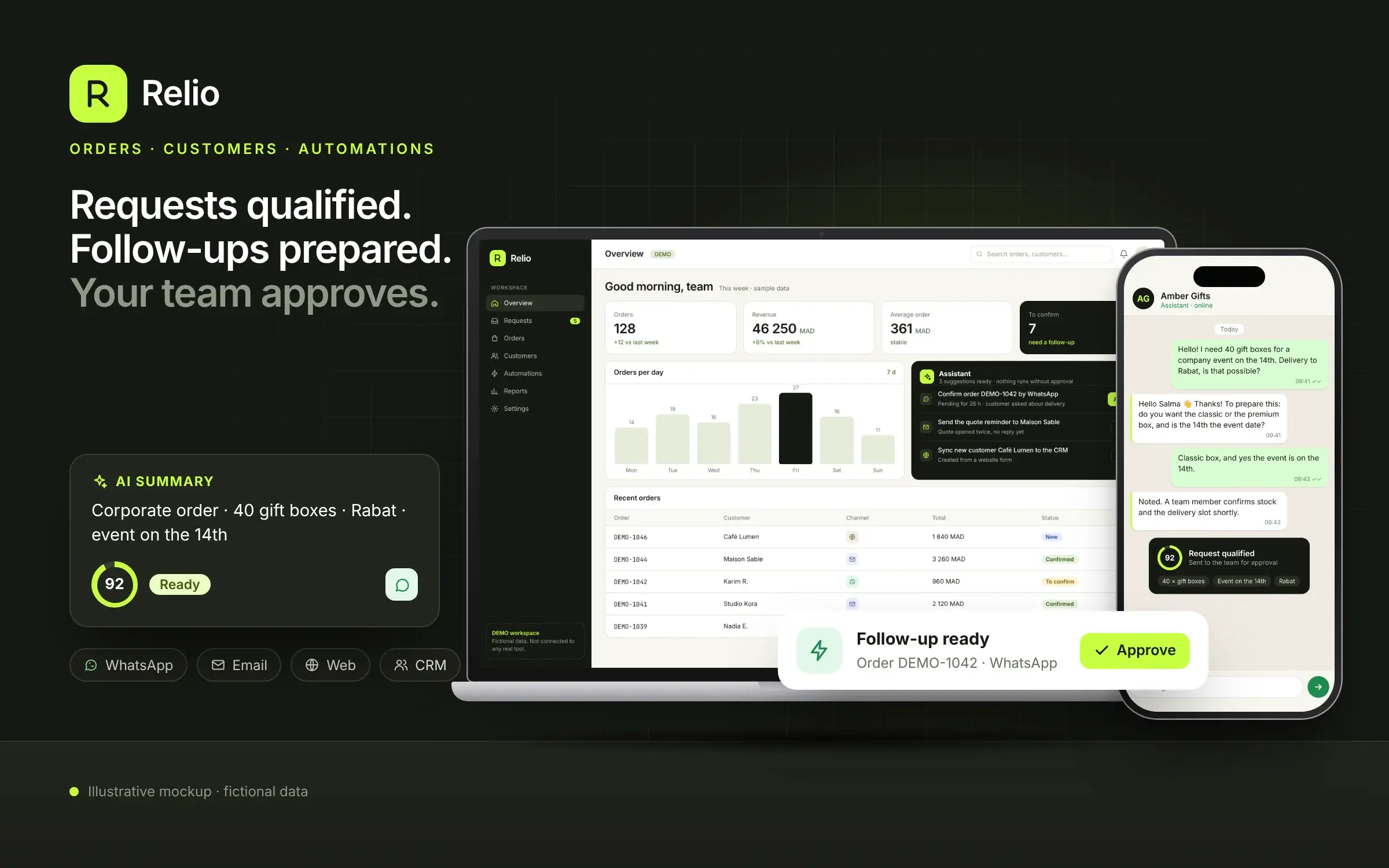
Illustrative Relio mockup on a laptop and a phone: an orders overview with an assistant suggesting follow-ups, a WhatsApp request qualified with a score of 92 and a follow-up waiting for approval, with fictional data.

Illustrative mockup drawn for this site, not connected. Names, orders and amounts are fictional sample data: no client data, no client results.

View the mockup full size

Your orders at a glance

Order volume, revenue, average order value and statuses: a clear view of the activity to track.

Customer follow-up that keeps the context

Requests, purchases and next actions in one place, whichever channel they came from.

An assistant for your automations

Prepare a confirmation, suggest a follow-up or sync a record. You approve the scenario before it is switched on.

Inside the mockup · Fictional data
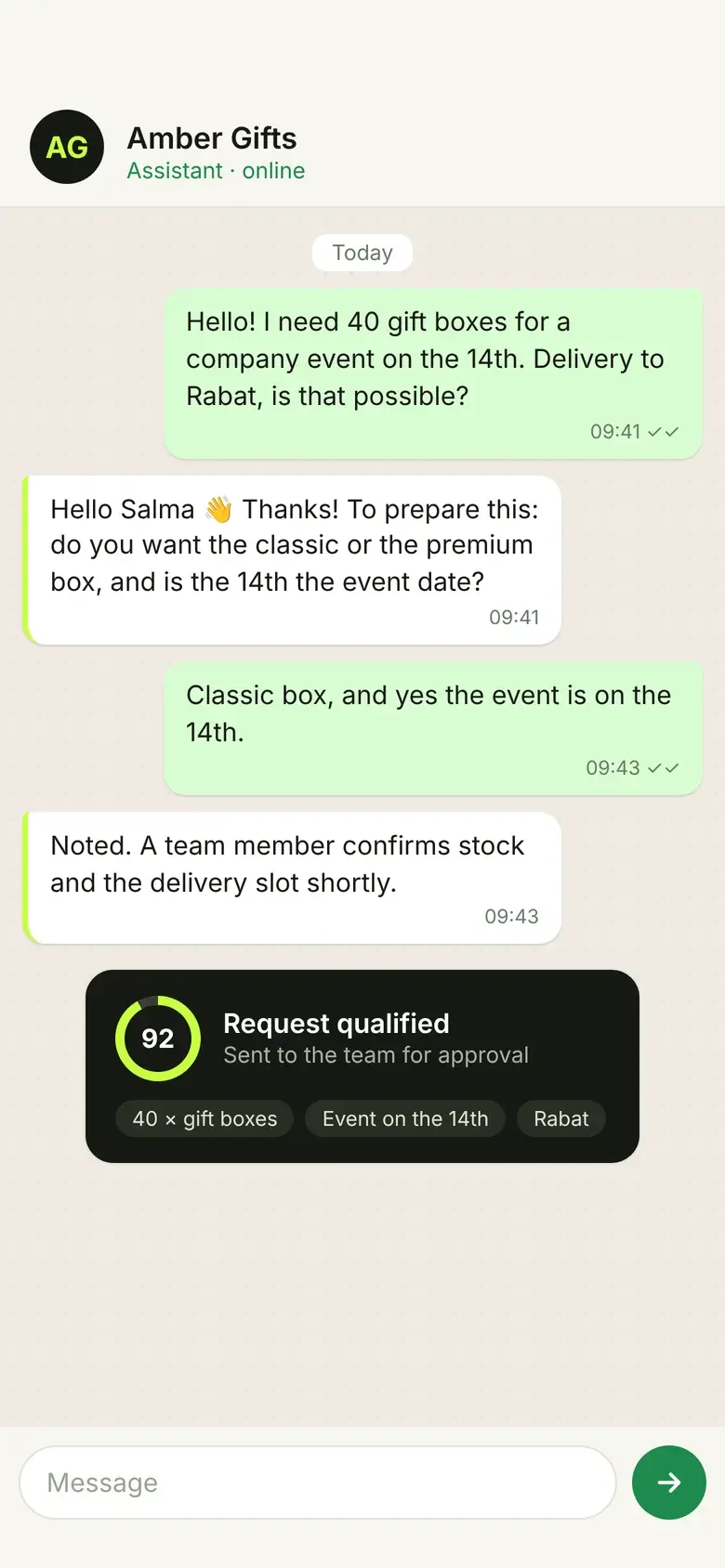
Fictional WhatsApp conversation on a phone: a customer asks for 40 gift boxes for an event on the 14th, the assistant asks one question, then the request is marked qualified with a score of 92.
1 · A request arrives on WhatsApp. The assistant asks for what is missing, then passes it to the team.
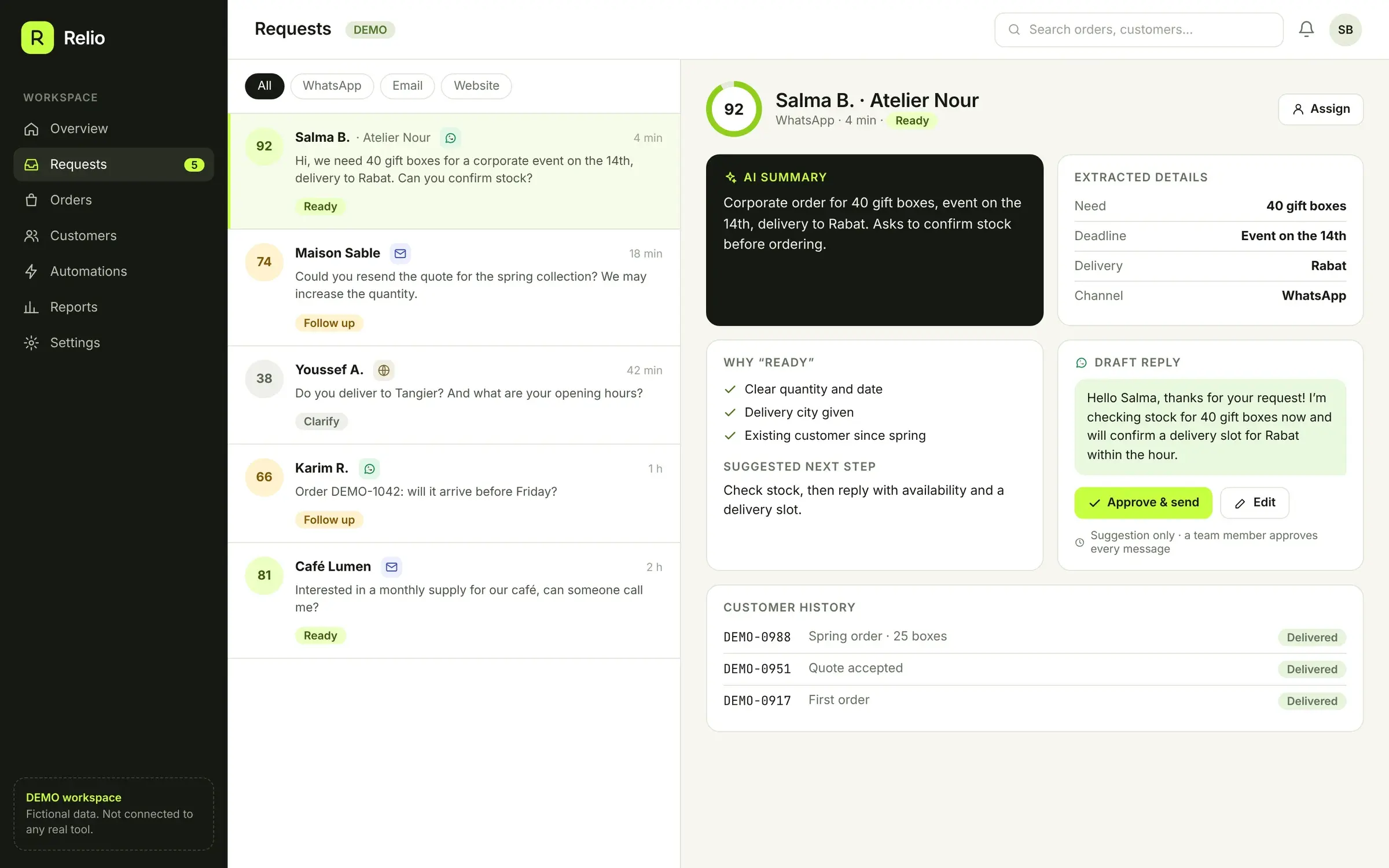
Relio requests inbox with fictional WhatsApp, email and website requests, each with a qualification score, and for the open request: an AI summary, extracted details, a suggested next step and a draft reply waiting for approval.
2 · Every request gets a summary, the key details and a score. The reply is drafted; a person approves it.
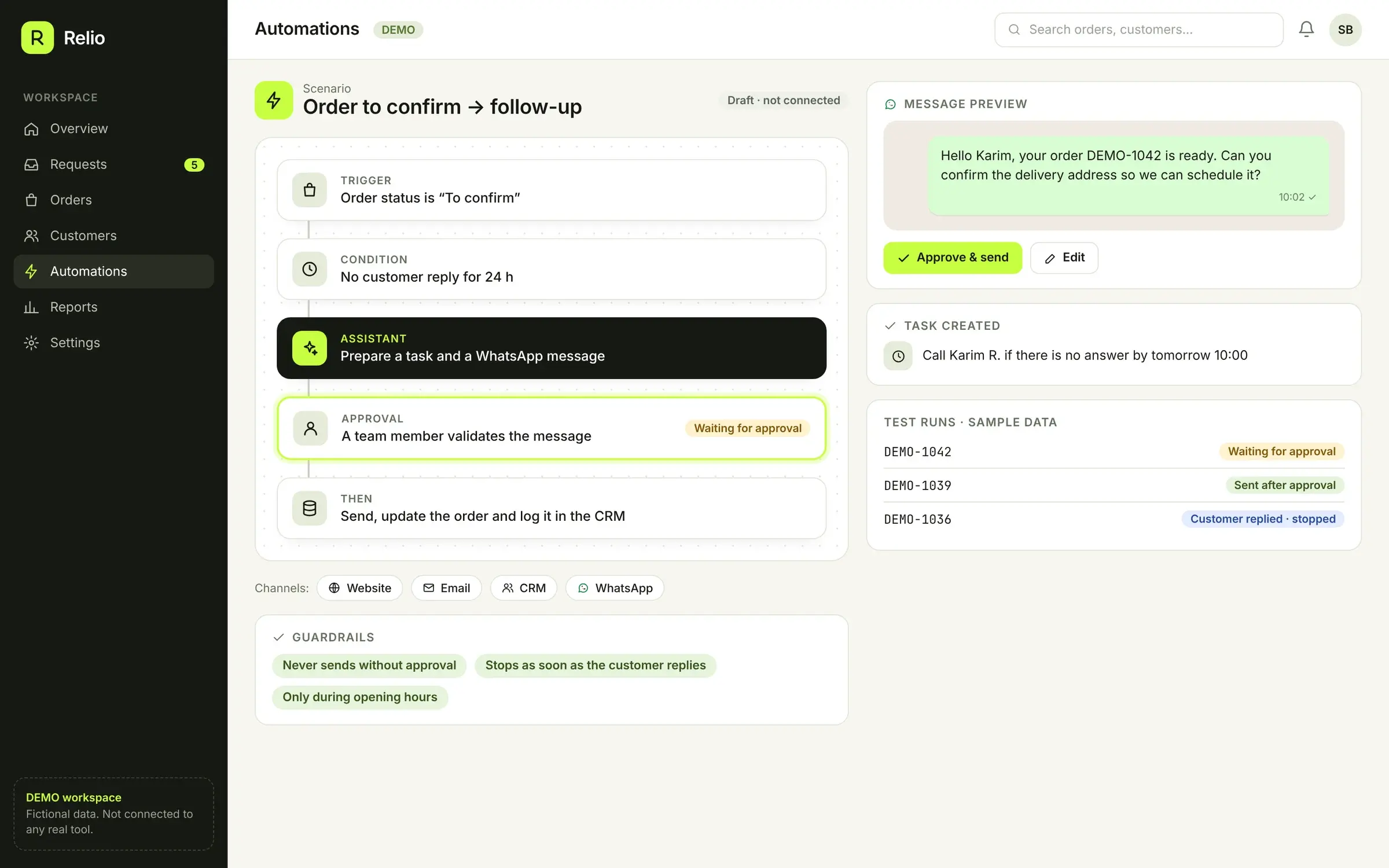
Relio automation scenario “Order to confirm → follow-up”: trigger, 24-hour condition, assistant step, team approval, then send and log in the CRM, with the WhatsApp message preview and guardrails. Fictional data.
3 · A pending order triggers a follow-up scenario. Nothing is sent without approval.
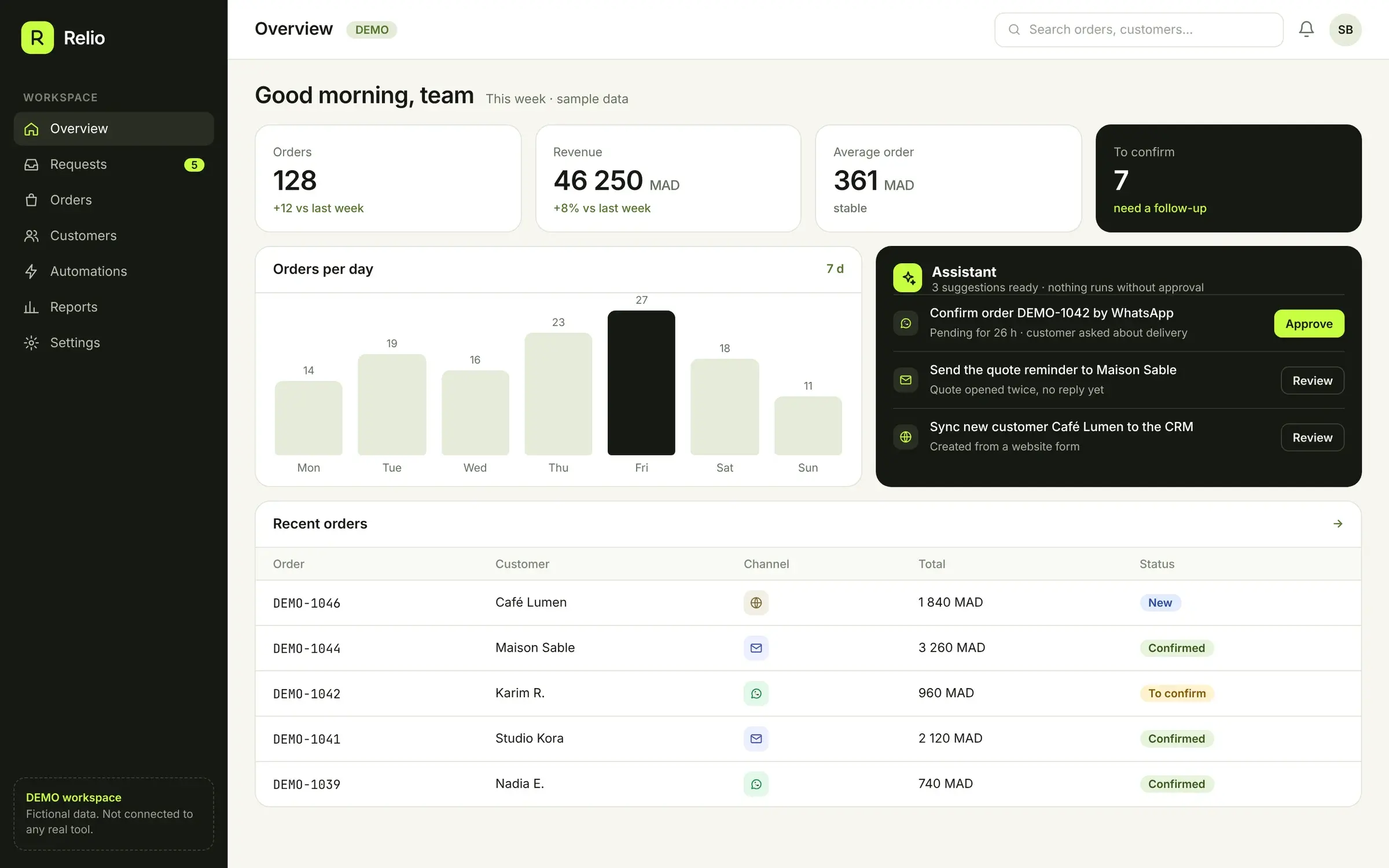
Relio overview with fictional figures: orders, revenue, average order, orders to confirm, orders per day, assistant suggestions and recent DEMO orders.
4 · The overview: orders, average order value and what needs a follow-up today.

Example scenario · Not connected

An order to confirm?
The follow-up gets prepared.

  1. 1Spot the pending order
  2. 2Prepare the right task and message
  3. 3Get approval, then trigger the follow-up
WebsiteEmailCRMWhatsApp

Connections, rules and permissions are defined around your tools. This mockup sends no messages and runs no automations.

Relio — Orders & automations · The project journey

A clear path,
step by step.
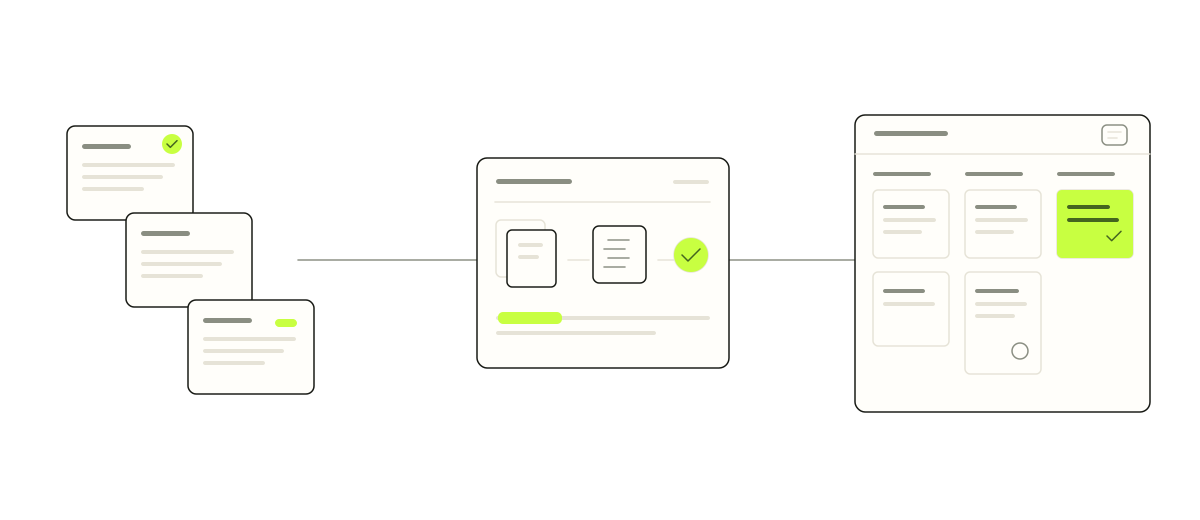
Workflow illustration for Relio — Orders & automations: Identify a pending order → Prepare the task and message → Approve the proposed follow-up.
  1. Identify a pending order
  2. Prepare the task and message
  3. Approve the proposed follow-up
Illustration of the documented project workflow, not a product screenshot.Illustrative concept; these stages describe the example, not a connected service.

A similar need in your business?

Let’s talk about your process, without sharing sensitive data.

Chat on WhatsApp