React Native 16 KB Page Sizes: Find the Android Upgrade Blocker
A React Native and Expo guide to finding native Android libraries, checking AAB, APK and ELF alignment, and testing releases on a 16 KB device.
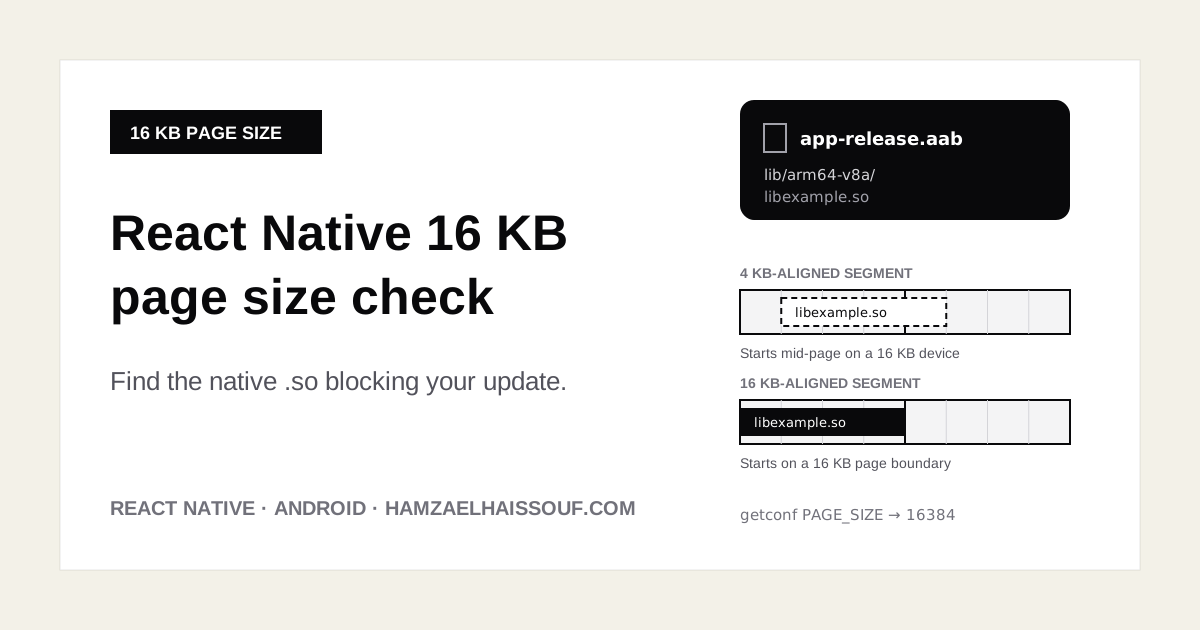
Google Play now checks two different things about an Android app's platform readiness, and it is easy to fix one while the other still blocks your release. This guide is about the second, less visible one: 16 KB memory page size support. It is a practical workflow for finding which native library in a real React Native or Expo release build is not ready, checking it with the official tools, and validating the fix on a 16 KB device. Facts and dates below were checked against the Android and Expo documentation on October 11, 2026.
Two Play checks, not one
1. Target API level. Google Play requires new apps and updates to target a recent Android API level. That rule is about the targetSdkVersion you declare and the behavior changes that come with it. It is documented on its own page: Target API level requirements for Google Play apps.
2. 16 KB page size support. Some newer Android devices use a 16 KB memory page size instead of 4 KB. According to the Android 16 KB page size guide, apps that target Android 15 (API 35) or higher must support 16 KB page sizes on 64-bit devices distributed through Google Play, and starting February 1, 2027, updates that don't support them can't be released.
The second check is not about what you declare. It is about the binary layout of the native code you ship. Raising targetSdkVersion doesn't make a native library compatible, and a project can pass the target API check while one .so file still fails the page size check.
Why JavaScript is not where the problem is
Your JavaScript bundle runs inside the app's JavaScript engine and is not loaded as native code by the operating system. What matters for page sizes are the shared libraries (.so files) packaged in your app: React Native's own native code, the JavaScript engine, and every dependency that ships C or C++ code, whether compiled from source in your build or delivered prebuilt inside an AAR.
So you can't answer "are we 16 KB compatible?" by reading package.json. You have to inspect the release artifact that you actually upload, and look at its lib/ directory.
Step 1: Build the artifact you really ship
Check the same kind of build you upload to Play, not a debug build:
- React Native CLI:
cd android && ./gradlew bundleReleaseproduces an AAB (by default underandroid/app/build/outputs/bundle/release/)../gradlew assembleReleaseproduces an APK underandroid/app/build/outputs/apk/release/. - Expo: use the AAB from your EAS release build, or the output of a local release build after
npx expo prebuild.
If you only have an AAB, you can generate installable APKs from it with bundletool build-apks for the inspection and device tests below.
Step 2: List the native libraries
Open the release APK in Android Studio's APK Analyzer (Build > Analyze APK) and expand lib/. You'll see one folder per ABI, such as arm64-v8a, armeabi-v7a, x86 and x86_64, each containing .so files. The 16 KB guide explains that APK Analyzer shows alignment warnings for libraries that have problems.
Focus on the 64-bit ABIs (arm64-v8a and x86_64), since that is where the requirement applies. Write down every .so file. If there is no lib/ folder at all, the app ships no native code and this requirement doesn't affect it; in a React Native app that is very unlikely.
For each library, find out who ships it. Searching node_modules for the file name usually points to the package, and ./gradlew :app:dependencies shows Android libraries that come in transitively through Gradle (analytics, payments, maps or video SDKs are common sources).
Step 3: Run the three alignment checks
Each tool answers a different question. None of them alone proves the app works on a 16 KB device.
AAB: is the bundle configured for 16 KB alignment?
bundletool dump config --bundle=app.aab | grep alignment
The output should include PAGE_ALIGNMENT_16K. This tells you the bundle is set up so that uncompressed native libraries are packaged with 16 KB ZIP alignment. It does not inspect the ELF segments inside each .so, so a library built with 4 KB segments can still be inside a bundle that passes this check.
If the value is missing, look at your Android Gradle Plugin version first. Android recommends AGP 8.5.1 or higher to package uncompressed .so files with 16 KB ZIP alignment.
APK: are the libraries 16 KB aligned in the ZIP?
zipalign -c -P 16 -v 4 app-release.apk
This verifies the ZIP alignment of the APK, including the native libraries, against 16 KB. It is a packaging check, not a runtime test. A failure usually points to the packaging toolchain (again, AGP); a pass doesn't tell you anything about the ELF segments.
ELF: are each library's load segments 16 KB aligned?
This is the check that most often finds the real blocker. The Android guide provides a check_elf_alignment.sh script that inspects the native libraries in an APK and reports which ones are not 16 KB aligned. Get the script and its usage from the official guide rather than from a copy, so you run the current version.
If a library is flagged here, the .so itself was built for 4 KB pages. Repackaging won't help: it has to be rebuilt or replaced.
Step 4: Fix the failing library, not the symptom
Match each failure to its cause:
| Failure | Likely cause | What to do |
|---|---|---|
No PAGE_ALIGNMENT_16K in the AAB, or zipalign fails | Packaging toolchain | Move to AGP 8.5.1 or higher |
| A library you compile from source is flagged as unaligned | Old NDK or linker flags | Build with NDK r28 or later, which produces 16 KB-aligned ELF segments by default |
A prebuilt .so from a dependency is flagged | Vendor built it for 4 KB only | Upgrade to a release built for 16 KB, ask the vendor, or replace or remove the dependency |
Two cautions:
- Upgrading AGP or React Native doesn't fix every
.so. It updates the packaging and the libraries those projects build, but a prebuilt binary inside a third-party SDK stays exactly as its vendor built it. - Change one thing at a time and re-run the checks after each change, so you know which upgrade actually removed the flagged library.
If you use Expo with Continuous Native Generation
With Continuous Native Generation, the android/ folder is generated by npx expo prebuild and can be regenerated at any time. A fix you make by hand in android/build.gradle can disappear on the next prebuild or cloud build. Put the change where it survives: package versions, app.json / app.config.js, or a config plugin. Then run a clean prebuild and repeat the checks on the new artifact.
Step 5: Smoke-test on a real 16 KB environment
Static checks find most problems, but the final proof is running the release build where pages are 16 KB.
- Create an emulator from a 16 KB page size system image in Android Studio, or use a device that supports 16 KB mode (the official guide lists the options).
- Confirm the environment:
adb shell getconf PAGE_SIZE
It should print 16384. If it prints 4096, you are not testing what you think you are testing.
3. Install the release APK (or the APKs generated from your AAB) and exercise every path that loads native code: app start, and then screens that use the camera, maps, video, databases, encryption, image processing, payments or any SDK you identified in Step 2. A library that is only loaded on one screen only fails on that screen.
4. Watch adb logcat for native library load errors and crashes while you test.
Android also has a 16 KB backcompat mode that can let some unaligned apps run on 16 KB devices. Don't treat it as a pass. If your app only works because of it, the build is still not aligned, and that is what Play checks.
Compact release checklist
- Target API level handled separately (Play requirement)
- Release AAB or APK built, not a debug build
- Every
.soinlib/arm64-v8aandlib/x86_64listed, with the package that ships it bundletool dump configshowsPAGE_ALIGNMENT_16Kzipalign -c -P 16 -v 4passes on the APKcheck_elf_alignment.shreports no unaligned libraries- AGP 8.5.1+ and NDK r28+ for code you build; 16 KB builds for every prebuilt SDK
- Expo CNG fixes stored in config or plugins, verified after a clean prebuild
- Release build tested on a device or emulator where
getconf PAGE_SIZEreturns16384, including every native-heavy screen - All of this done well before February 1, 2027
Need help finding the blocker?
If a native library is blocking your React Native update, or the app needs an upgrade before it can ship again, my Play-Ready Rescue starts with a fixed-price audit of the code, the build and the Play Console issues, then a sprint to fix the priorities and release a compliant build. See the Play-Ready Rescue offer.
Want more like this?
Get the free toolkit + occasional tips on React Native, Next.js, and AI.
No spam. Unsubscribe anytime.
Related services & guides